Connect Timo Brain
Pick the app you use. Some are one click, some are one line, the rest are one paste. Then ask it what you want to build.
Your link
{{TOKEN_URL}}
Treat it like a password. It is yours alone.
No app can add a connector to someone else's Claude for them, and no website can do it for you. Cursor and VS Code take one click. Everywhere else, the paste is yours. It takes about a minute.
Option A: Regular Claude
The Claude app on your phone or computer, or claude.ai in a browser. Nothing to install past the app.
Needs a paid Claude plan (Pro or above). Custom connectors are not on the free plan.
That link opens the "Add custom connector" box in your Claude account. Name it Timo Brain, paste the link below, click Add. Added once, it shows up on your phone, your computer and the browser.
{{MCP_URL}}

This is the box that link opens.
Rather see every click? The pictures below walk the same path from Settings.
Open Settings
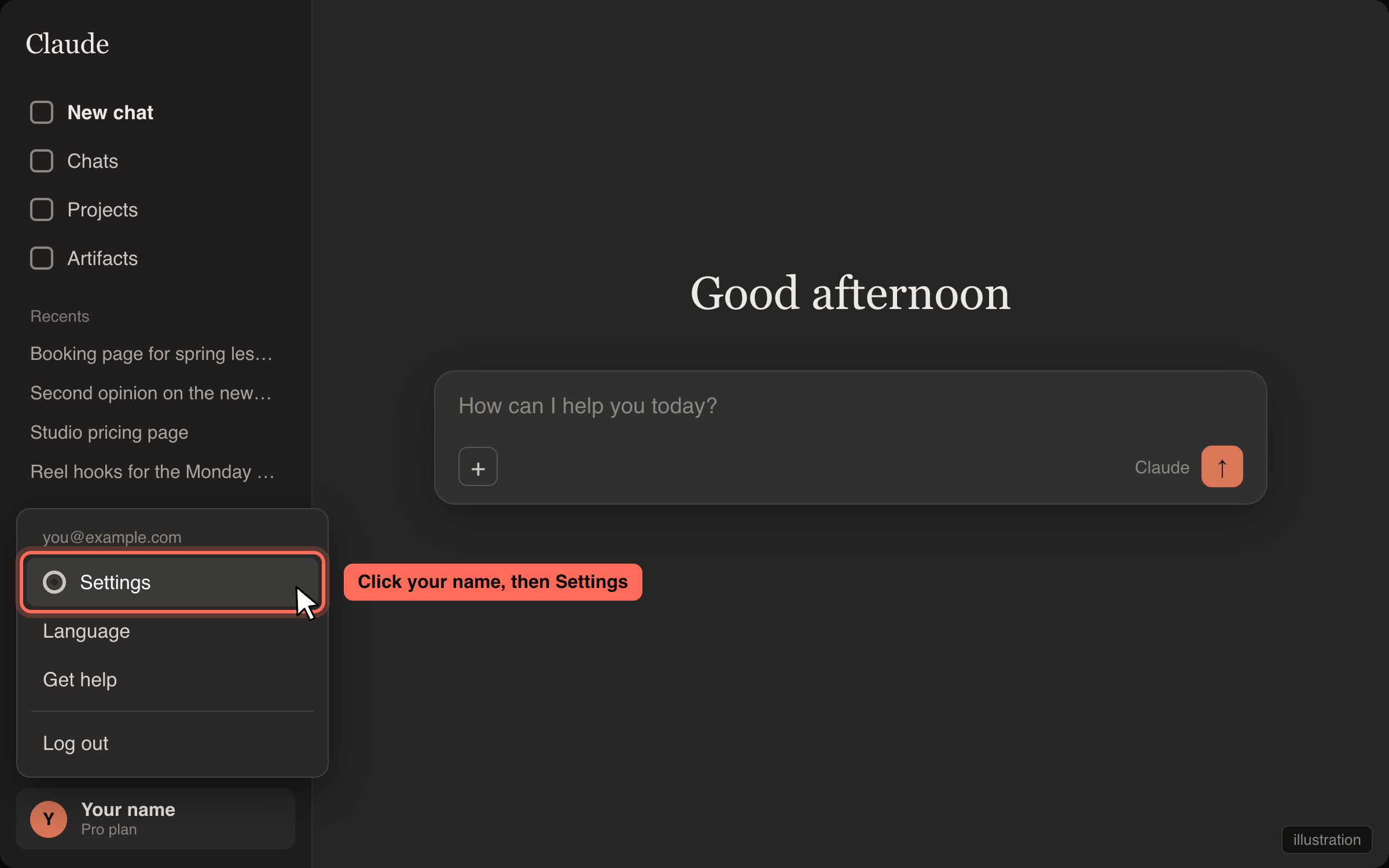
Click the gear, or your name bottom-left, then Settings.
Click Connectors
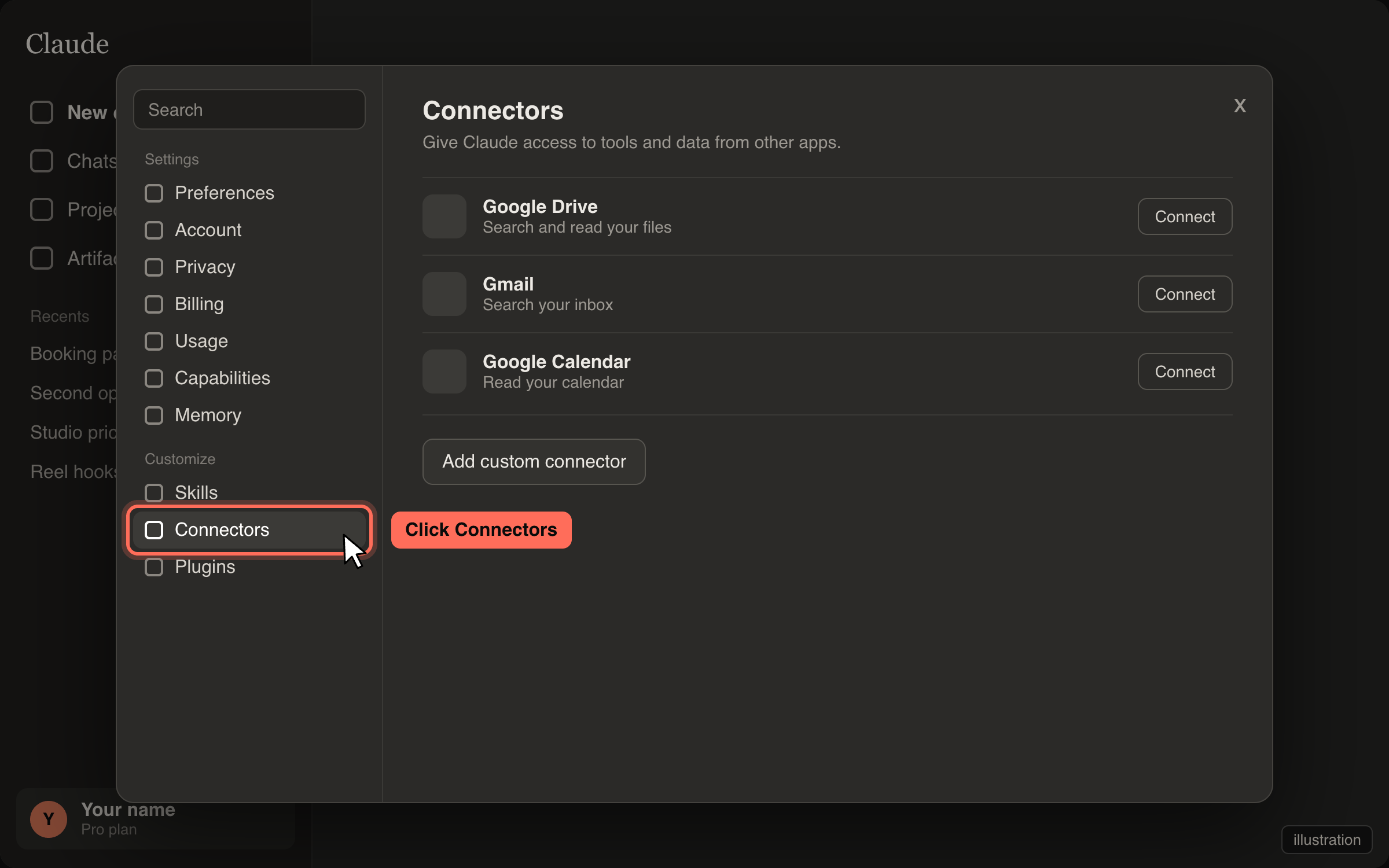
It is in the left list of Settings.
Click "Add custom connector"
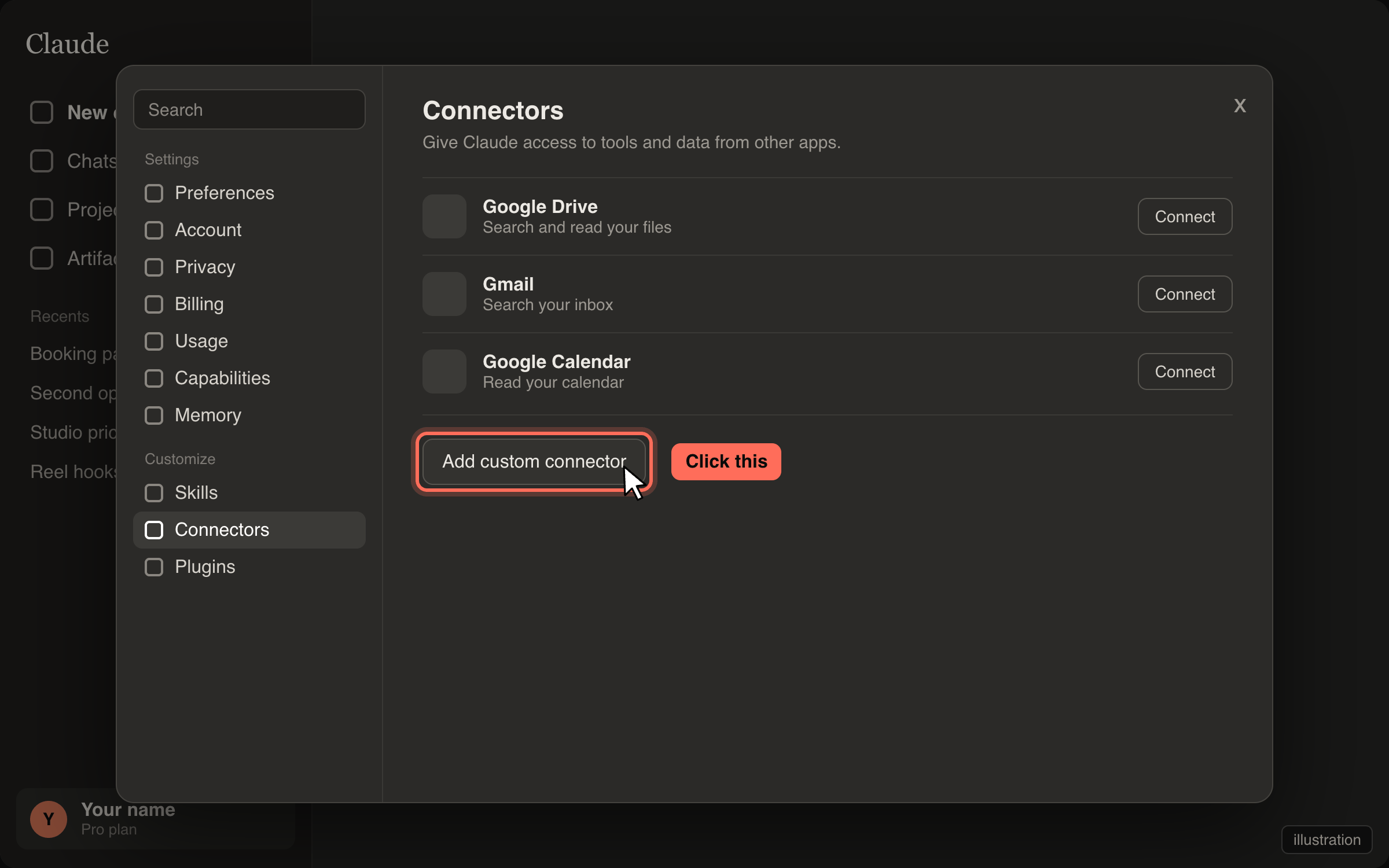
The button sits under the list of connectors.
Name it Timo Brain, paste your link, click Add
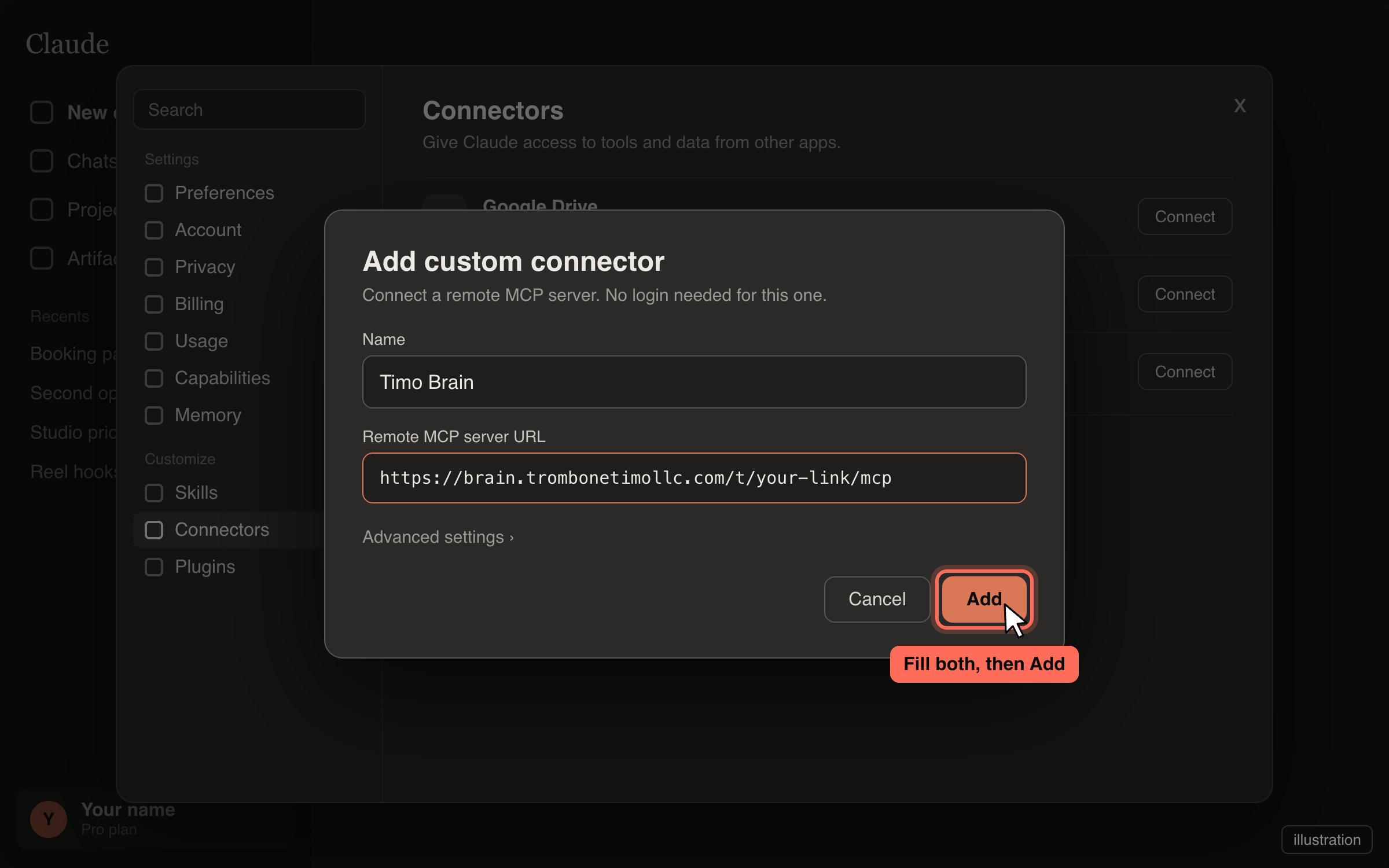
Name:
Timo Brain. URL: your link from the top of this page. No login needed. Click Add.Start a new chat and ask
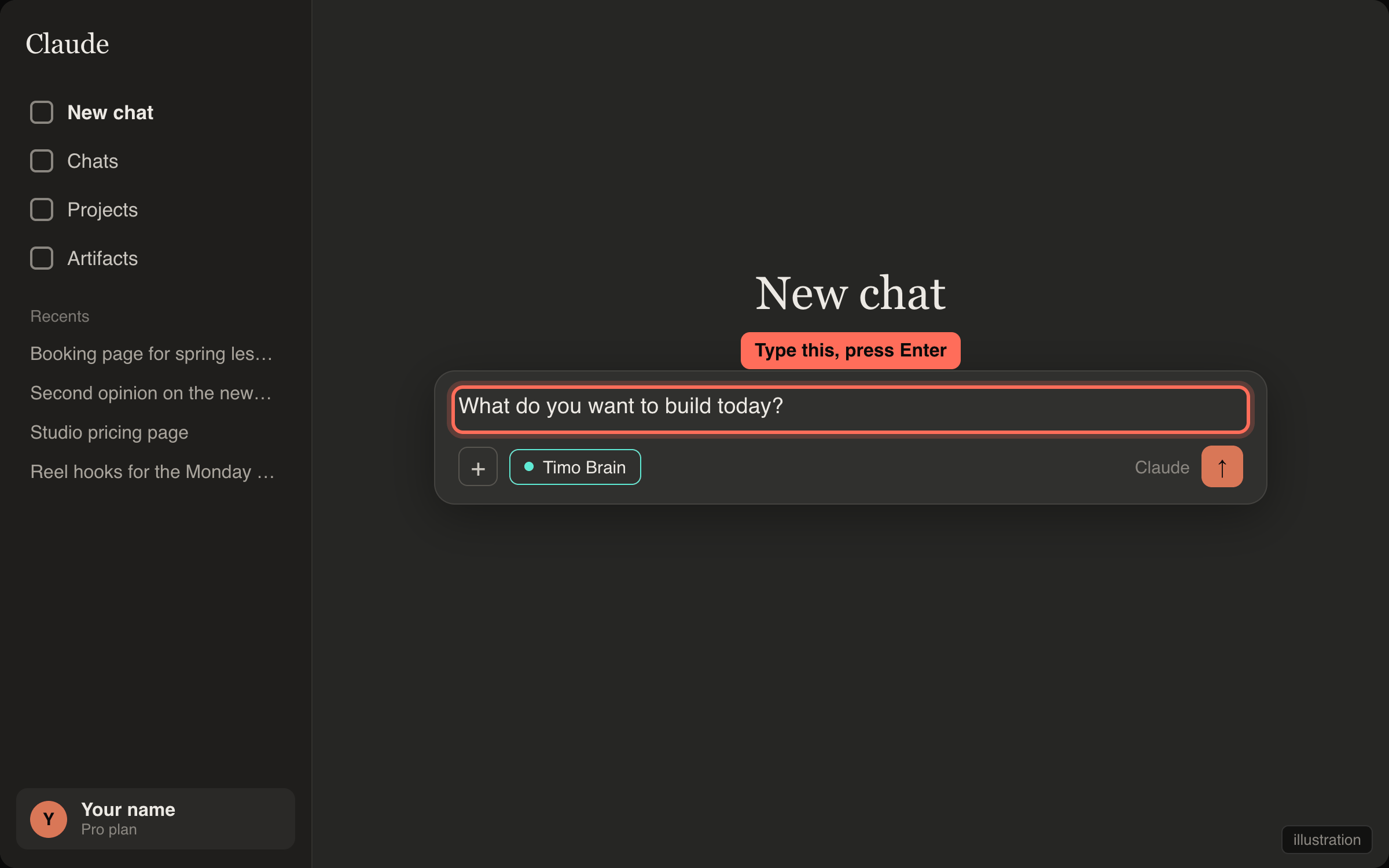
Type
What do you want to build today?and send it. Timo Brain answers.
Option B: Visual Studio Code
For people who want the AI to write and run the code on their own computer.
The extension needs a Claude account. Sign in when it asks.
One click. VS Code opens and asks you to confirm. If your browser blocks the app link, or VS Code is not installed yet, use the steps below.
Install VS Code
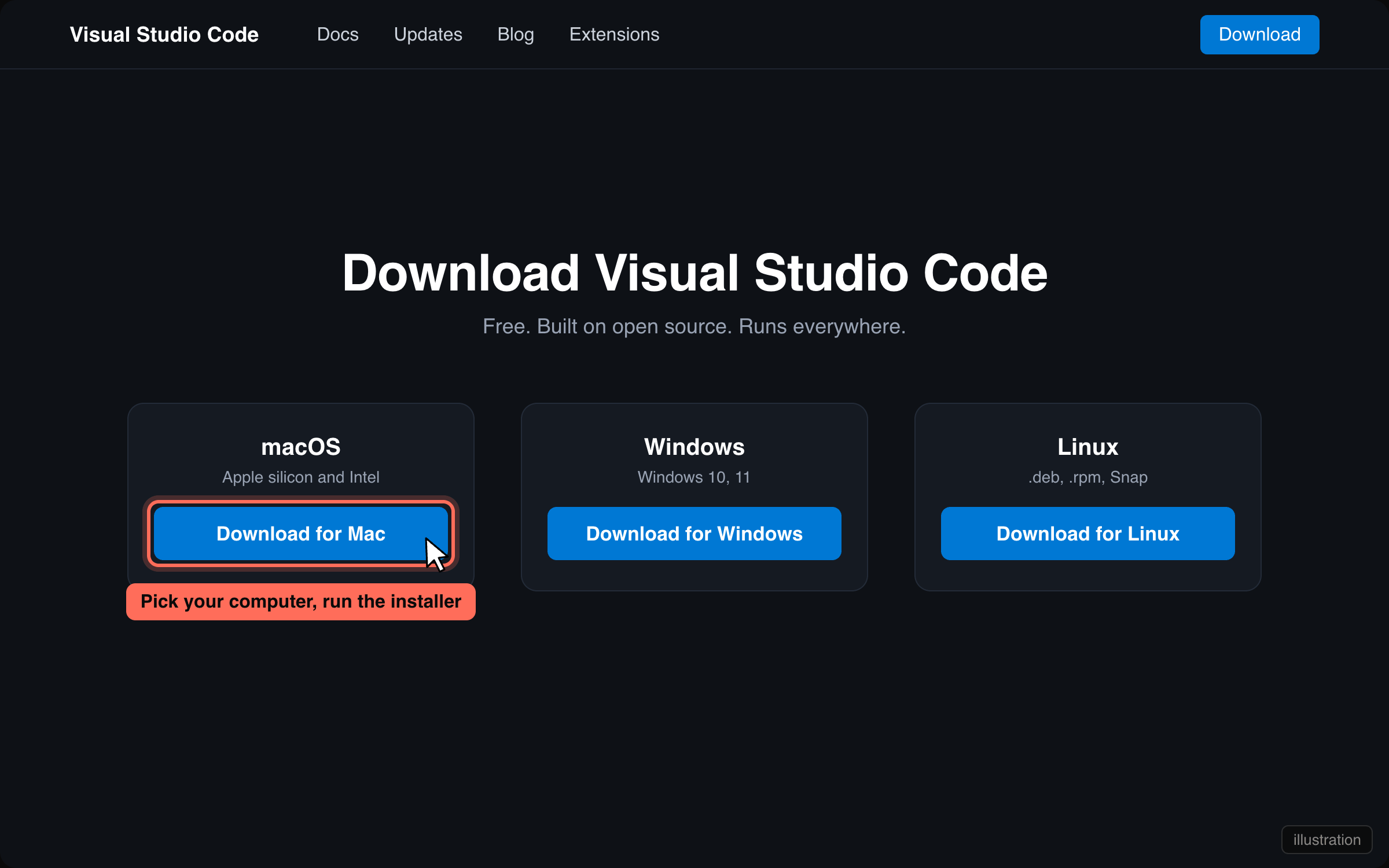
Download it for your computer, run the installer, open it.
Install the Claude Code extension and sign in
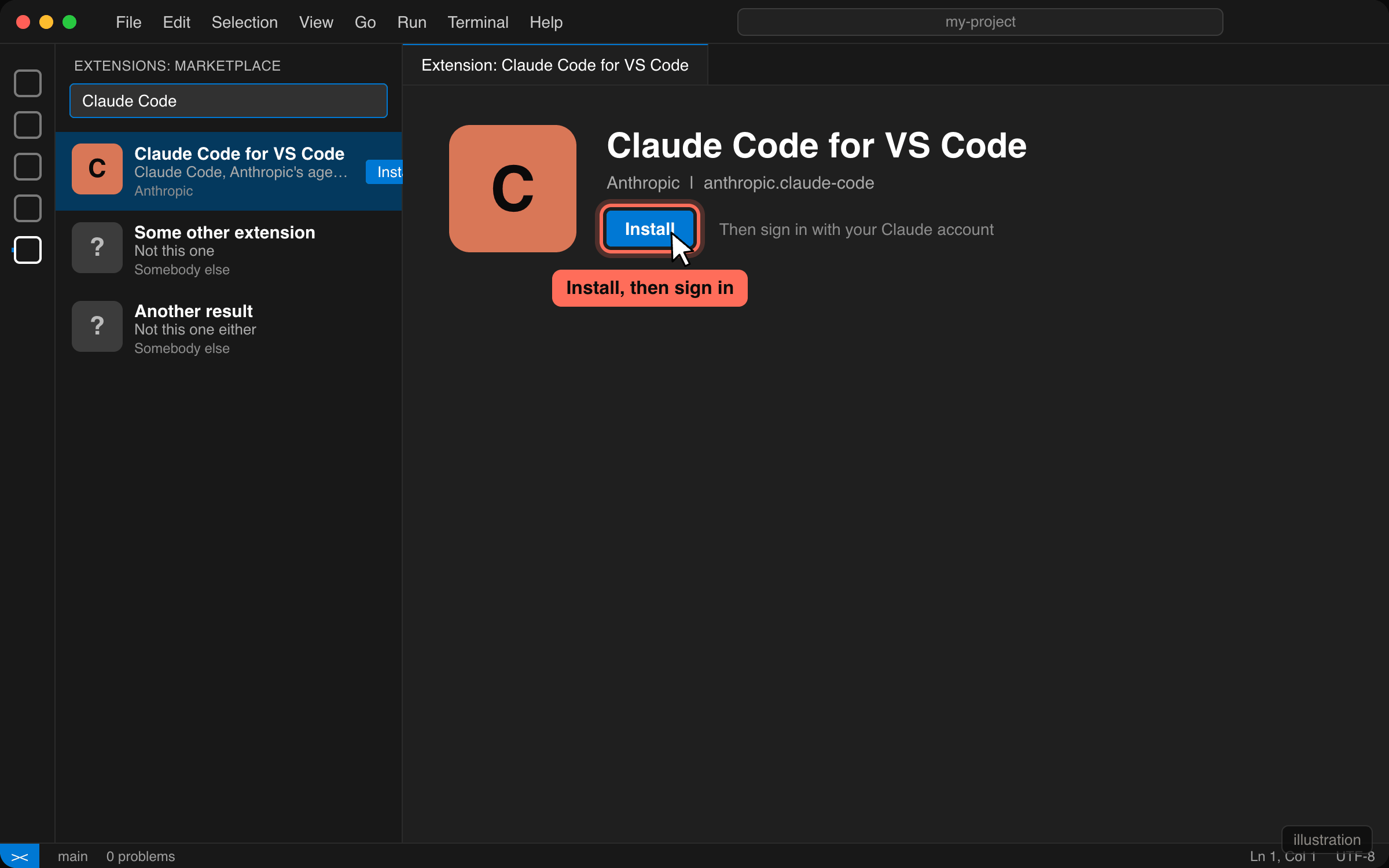
Extensions (left bar), search
Claude Code, Install, then sign in with your Claude account.Open the terminal and paste this
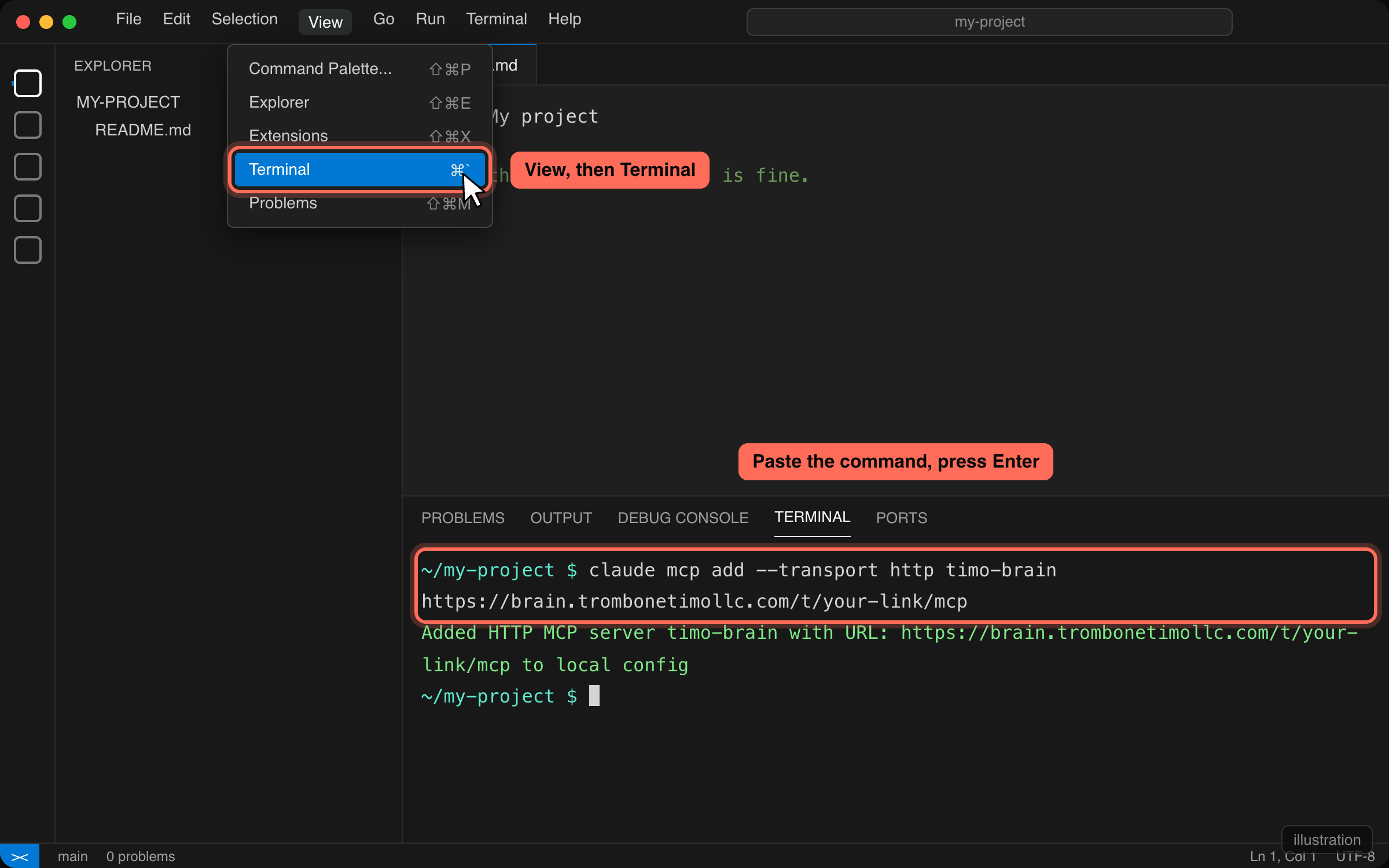
View, then Terminal. Paste the line below, press Enter.
claude mcp add --transport http timo-brain {{TOKEN_URL}}Open the Claude panel and ask
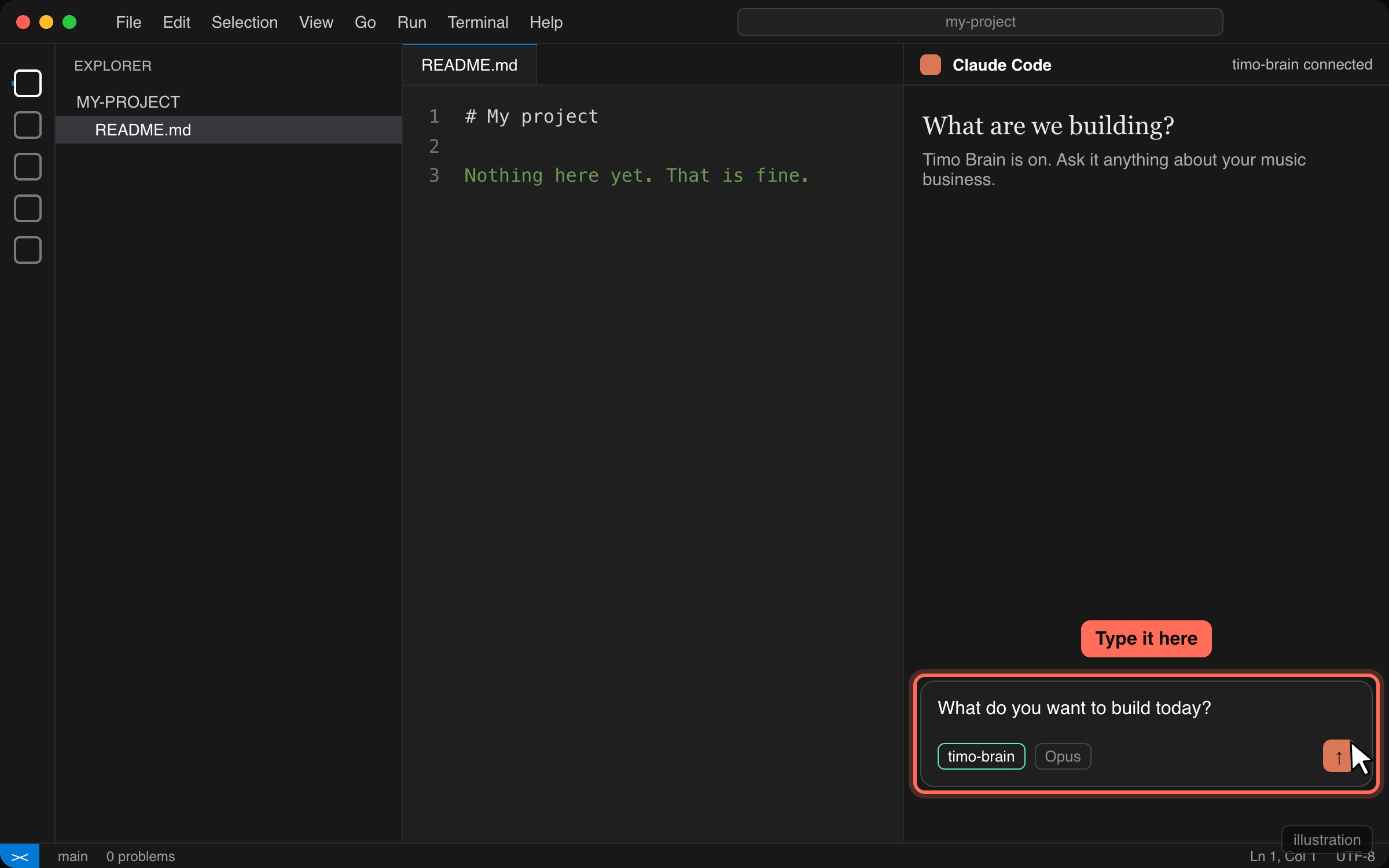
Click the Claude icon, type
What do you want to build today?and send it.
Using GitHub Copilot instead?
Make a file called .vscode/mcp.json in your project with this in it:
{
  "servers": {
    "timo-brain": { "type": "http", "url": "{{TOKEN_URL}}" }
  }
}
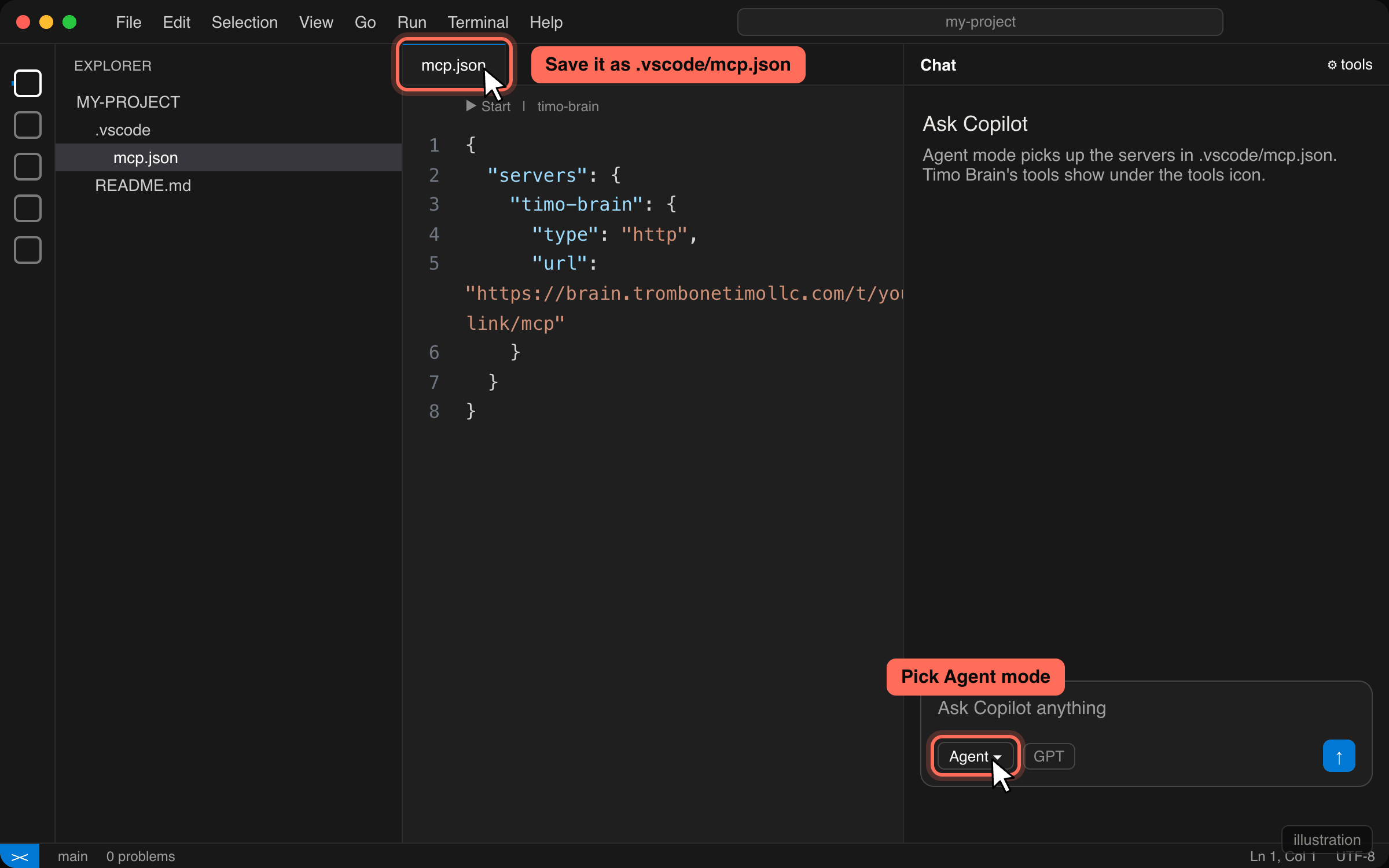
Open Copilot Chat, switch it to Agent mode. Timo Brain's tools show up under the tools icon.
Option C: Claude Code
Claude in a terminal, building on your own computer. One line does the whole install, Claude Code included.
curl -fsSL {{ORIGIN}}/i/{{TOKEN}} | bash
Open Terminal (on a Mac: hold Command, press space, type Terminal, press Enter), paste that line, press Enter. It installs Claude Code if it is missing, connects Timo Brain, and adds the plugin. Run it again whenever you want, it does not break anything.
Run the line above
Give it a minute. It prints what it is doing.
Start Claude and ask
Type
claude, press Enter, then typeWhat do you want to build today?
Rather run the commands yourself?
Same result, three lines:
claude mcp add --transport http timo-brain {{MCP_URL}}
claude plugin marketplace add TromboneTimo/timo-brain-plugin
claude plugin install timo-brain@timo-brain-marketplace
Option D: Cursor
The code editor with the AI built in. One click and a confirm box.
The button opens Cursor with the server filled in. Cursor shows its own confirm box. Say yes, then ask it what you want to build.
If nothing happens when you click
Cursor is probably not installed, or your browser blocked the app link. Put this in .cursor/mcp.json inside your project instead:
{
  "mcpServers": {
    "timo-brain": { "url": "{{MCP_URL}}" }
  }
}
Option E: Gemini CLI
Google's CLI. One command in a terminal.
gemini mcp add --transport http timo-brain {{MCP_URL}}
Paste it, press Enter, then start Gemini and ask it what you want to build.
Option F: ChatGPT
ChatGPT has no one-click install and no import file, so this one is by hand. Needs a paid plan.
Open ChatGPT settings, then Connectors. A paid plan is needed.
Click Advanced, then turn on Developer mode.
Back on Connectors, click Create.
Name it Timo Brain. Authentication: none.
Paste your link into the MCP server URL field, then click Create.
{{MCP_URL}}Start a new chat, switch on Timo Brain under the plus menu, and ask it what you want to build.
What to try first
- Build a booking site.Say: "Build me a booking site for my lessons." Answer its questions one at a time. "I don't have that account" is a fine answer.
- Second opinion on a real email.Paste the last email you sent, or the next one, and say "second opinion." Before you send anything this week, do this.
- Ask how to get more people to book.Say: "How do I get more people to book?" Then tell it what you actually sell.
- Try to break it.Ask something outside music marketing. Argue with an answer. Ask where a rule came from. Tell Tim what happened.
Demo links work for 7 days, 50 questions a day. Stuck? Reply to the email the link came in and paste the error. Tim reads every reply.